
2FA Recovery Methods: Secure Ways to Regain Access When You're Locked Out
When you set up two-factor authentication (2FA) for your crypto wallet, exchange account, or blockchain service, you’re doing the right thing. But what happens when your phone dies, your authenticator app disappears, or your security key gets lost? That’s where 2FA recovery methods come in - and most people get this part dangerously wrong.
Imagine this: You wake up one morning to find your smartphone stolen. You had 2FA enabled on your Coinbase, Ledger, and MetaMask accounts. You didn’t write down your backup codes. You never set up a hardware key. You only used SMS. In under 48 hours, every dollar in those wallets is gone. This isn’t a hypothetical. In 2023, over 12,000 crypto users lost funds this exact way, according to Chainalysis. The problem isn’t 2FA itself. It’s the recovery method you chose - or didn’t choose.
Why Recovery Methods Matter More Than You Think
Two-factor authentication was built to stop hackers. But if your recovery path is weak, it doesn’t matter how strong your 2FA is. Attackers don’t crack your password or steal your phone. They target the recovery option you thought was safe. A 2024 report from Microsoft showed that 18% of successful breaches in organizations with mandatory 2FA happened because the recovery method was easier to exploit than the 2FA itself.
Think of it like a bank vault. You have a biometric lock, a keycard, and a PIN. But you leave the spare key taped under the mat. That’s what most people do with 2FA recovery. They assume SMS or email is enough. It’s not.
The Five Main 2FA Recovery Methods - Ranked by Security
Not all recovery options are created equal. Here’s what’s actually out there - and how risky each one is.
- SMS-based recovery - The most common, but also the most dangerous. Over 63% of financial services still offer it. Why? Because it’s easy. But SIM swapping attacks - where hackers convince your phone carrier to transfer your number to a new device - made up 37% of all 2FA-related account takeovers in 2023, according to the FBI. In 2022, T-Mobile lost 37 million customer accounts because of this exact flaw. If you’re using SMS as your backup, you’re not secure. You’re just hoping.
- Email-based recovery - Better than SMS, but still risky. If your email account is compromised (and 24% of breaches in 2023 started there, per Verizon), then your recovery email becomes the backdoor. Many users reuse passwords across services. If you used the same password for your email and your crypto exchange, you’re one phishing email away from total loss.
- Backup codes - These are 8-16 character alphanumeric codes generated when you first set up 2FA. Google, Coinbase, and Ledger all give you 10 codes. You use one, then it’s gone. They’re offline, which makes them safer than SMS or email. But here’s the catch: 57% of people who lost access to their accounts in 2023 had stored their backup codes in an unencrypted notes app, cloud folder, or screenshot. That’s like writing your PIN on your credit card. NIST gives this method a 7/10 security rating - decent, if handled right.
- Push notification recovery - Used by apps like Duo and Authy. You get a notification on your trusted device and tap “Approve.” Sounds convenient. But attackers have figured out how to forward these notifications in real time using “bucket brigade” attacks. In 2024, Spriv found this technique worked in 29% of targeted attacks. It’s better than SMS, but not trustworthy for high-value accounts.
- Hardware security keys (FIDO2/WebAuthn) - The gold standard. These are physical devices like YubiKey, Google Titan, or Ledger Nano. They work without batteries, don’t connect to Wi-Fi, and can’t be phished. Yubico reports zero successful attacks against FIDO2-based recovery across 12 million devices. NIST rates this a 9/10. If you’re holding crypto, this should be your primary recovery method - not a backup.
What the Experts Say - And Why You Should Listen
Dr. Paul Grassi, co-author of NIST’s Digital Identity Guidelines, calls recovery methods the “Achilles’ heel” of 2FA. He’s not exaggerating. Troy Hunt, founder of Have I Been Pwned, says the biggest failure he sees in breaches is people storing backup codes in unencrypted digital files. “It’s not the hacker who’s smart,” he says. “It’s the user who made it easy.”
The SANS Institute surveyed 1,200 security pros in 2024. 76% rated poorly implemented recovery as a “critical risk.” The FTC’s chief technologist, Dr. Lorrie Cranor, told Congress in February 2024 that SMS-based recovery creates an “illusion of security.” And she’s right. If you think SMS is protecting you, you’re already compromised.
How to Set Up Real Recovery - Step by Step
Here’s how to do it right. This isn’t theory. This is what the most secure users do.
- Get a hardware key - Buy one. YubiKey 5C NFC costs $35. Plug it into your phone or laptop. Register it as your primary recovery method. Do this first. Don’t wait.
- Print your backup codes - When you set up 2FA on your exchange or wallet, download or print the 10 backup codes. Don’t screenshot them. Don’t save them in Notes. Don’t email them. Print them. On paper. In black ink.
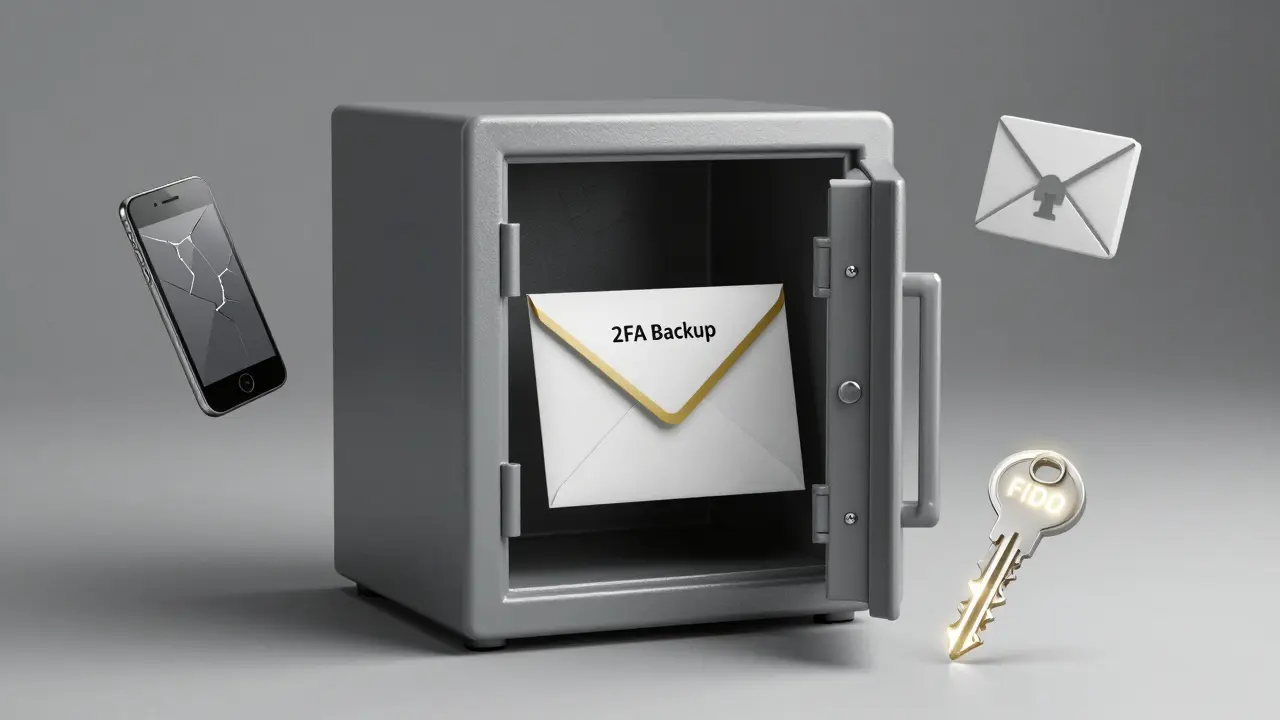
- Store them physically - Put the printed codes in a fireproof safe. Or a locked drawer. Or a sealed envelope in your bank vault. If you’re paranoid (and you should be), keep one copy at a trusted friend’s house. The goal is to make it accessible to you - but impossible for a remote hacker to reach.
- Use two authenticator apps - Install both Google Authenticator and Authy on two different devices. Sync them. If one device dies, you still have access. Authy even lets you back up your codes encrypted in the cloud - but only if you set a strong password. This isn’t ideal, but it’s better than nothing.
- Test your recovery - Once a year, log out of your account. Try to recover using your hardware key and backup codes. If it doesn’t work, fix it now. Don’t wait until you’re locked out.
What Not to Do
These are the top three mistakes that lead to permanent loss:
- Don’t rely on SMS - Even if your exchange says it’s “secure.” It’s not. The phone network has known flaws that hackers exploit daily.
- Don’t store codes digitally - Not in Notes. Not in Dropbox. Not in a password manager unless it’s encrypted and you have 2FA on that manager too. If your cloud account is breached, your recovery codes are gone.
- Don’t skip the hardware key - It’s not “for techies.” It’s for anyone with more than $1,000 in crypto. If you can’t afford $35, you can’t afford to risk losing your funds.
The Future: Passwordless Recovery Is Coming
By 2025, Apple, Google, and Microsoft will roll out Passkey Recovery - a new system that lets you recover your account using another trusted device, without codes or SMS. It’s built on FIDO2 standards and uses cryptographic bonds between devices. No more paper. No more scanning QR codes. Just tap your key or use your fingerprint.
Google already tested this with its Advanced Protection Program. Users who switched to three physical keys saw a 99.8% drop in targeted attacks. That’s not a trend. That’s the future.
But until then, you can’t wait. The tools are here. The risks are real. And every day you delay setting up real recovery, you’re gambling with your assets.
What You Should Do Today
Right now, open your crypto exchange or wallet app. Go to Security Settings. Look for 2FA recovery options.
- If you see SMS - disable it.
- If you see email - disable it.
- If you don’t have backup codes - generate them now.
- If you don’t have a hardware key - order one before tomorrow.
Don’t think about it. Don’t wait for a “better time.” Your funds aren’t going to wait. And neither should you.
Megan Lutz
March 5, 2026 AT 13:01Let’s be real - SMS is a joke. I used to think it was fine until my cousin got hacked through a SIM swap. Lost $8k in ETH. No recovery. No mercy. Now I have two YubiKeys, one in my wallet, one in a safety deposit box. Paper backup too. It’s annoying? Yes. Worth it? Absolutely.
Jesse VanDerPol
March 7, 2026 AT 05:21I’ve been using Authy for years. Never had an issue. But I never printed codes. Maybe I should.
Bryanna Barnett
March 7, 2026 AT 22:36YubiKey? Pfft. That’s so 2022. I use biometrics + facial recognition on my iPhone. It’s seamless. Why complicate things with plastic sticks? You’re overengineering your security like it’s a NASA mission.
Basil Bacor
March 9, 2026 AT 04:19People who dont use hardware keys are just asking to get robbed. Its not even a debate. Youre not a crypto user if you trust email or SMS. Youre a liability.
Emily Pegg
March 10, 2026 AT 00:12OMG I JUST REALIZED I HAVE ALL MY BACKUP CODES IN A GOOGLE DOC. 😭 I’M SO SCARED. WHO DO I CALL??
Ethan Grace
March 10, 2026 AT 14:40It’s funny how we treat digital security like it’s a moral failing. Like if you use SMS, you’re a bad person. But what about the people who can’t afford $35 keys? Or don’t have access to reliable shipping? Not everyone lives in a Silicon Valley bubble.
Denise Folituu
March 12, 2026 AT 00:01I used to think I was safe until my ex hacked my Coinbase using my recovery email. We broke up. He took my Bitcoin. I cried for a week. Now I keep my keys in a metal box buried in my backyard. And I changed all my passwords. And I don’t talk to him anymore. Ever.
jack carr
March 12, 2026 AT 07:33Hey, just chill. You don’t need to go full spy-movie on this. Get one hardware key. Print one set of codes. Put them in a drawer. Done. No need to bury them or involve your friend’s house. Keep it simple.
Eva Gupta
March 13, 2026 AT 15:57In India, many people don’t even have smartphones with NFC. How do we even get a YubiKey? The advice here feels very Western. Maybe we need low-tech solutions - like physical tokens mailed to us, or community vaults? Just thinking aloud.
Nancy Jewer
March 13, 2026 AT 18:05From a compliance standpoint, the NIST 800-63B guidelines explicitly recommend FIDO2 as the only viable phishing-resistant authentication method. SMS and email are classified as "insecure transport channels" under AAL2. If you’re managing institutional assets, you’re already non-compliant if you rely on anything less than hardware keys. Just saying.
Julie Potter
March 14, 2026 AT 18:16YOU GUYS ARE ALL WRONG. I HAVE A PAPER WALLET IN A SAFE. BUT I ALSO USE SMS BECAUSE IF I LOSE MY PHONE, I CAN JUST CALL MY CARRIER AND THEY’LL GIVE ME MY NUMBER BACK. IT’S EASY. WHY MAKE IT HARD?
Leah Dallaire
March 15, 2026 AT 20:44Did you know the government tracks all FIDO2 key registrations? They’re building a backdoor into "secure" hardware. The YubiKey is a Trojan horse. You think you’re safe? You’re just handing them your biometrics and blockchain keys on a silver platter. Wake up.
prasanna tripathy
March 17, 2026 AT 10:56I have three keys - one at home, one with my sister, one in my bag. I print codes and store them in three places. I also use a second authenticator app on my old tablet. It’s not about paranoia. It’s about redundancy. If one thing fails, another holds. Simple.
James Burke
March 17, 2026 AT 20:05For beginners: start with one hardware key. Don’t overcomplicate. Just do it. Then print the codes. Put them in an envelope. Write "DO NOT OPEN UNLESS EMERGENCY" on it. Done. You’re already ahead of 90% of users.
Jonathan Chretien
March 19, 2026 AT 07:11Most people don’t realize that 2FA recovery isn’t about security - it’s about identity ownership. If you can’t recover access without a third party, you don’t own your assets. You’re renting them. And rent is temporary. Hardware keys? That’s sovereignty. 🤓
Bill Pommier
March 20, 2026 AT 07:05It is imperative that individuals understand that the operational risk associated with non-hardware-based recovery mechanisms is not merely theoretical. The probability of compromise is statistically significant, and the consequence is irreversible. I recommend immediate cessation of SMS-based recovery protocols. Failure to do so constitutes negligence.
Olivia Parsons
March 21, 2026 AT 16:31I used to store codes in Notes. Then I lost my phone. Got locked out for 3 days. Now I print everything. I even label them: "Crypto Emergency - DO NOT THROW OUT." It’s weird, but it works.
Nick Greening
March 22, 2026 AT 14:48Hardware keys are overrated. I use a password manager with 2FA on my email. My email has 2FA. My password manager has 2FA. I’m more secure than you. You’re just scared of convenience.
Issack Vaid
March 23, 2026 AT 04:18Oh, so now we’re treating crypto like it’s a nuclear launch code? Relax. Most people have $200 in their wallet. You’re not protecting Fort Knox. You’re protecting a digital piggy bank. Maybe stop yelling.
Shawn Warren
March 24, 2026 AT 20:45GET A KEY. PRINT CODES. DO IT NOW. YOUR FUTURE SELF WILL THANK YOU. NO EXCUSES. NO WAITING. JUST DO IT.
Jackson Dambz
March 26, 2026 AT 08:47I read this whole thing. I’m tired. Can someone just summarize? I don’t have time for this.